A video call gives your guests a shared screen and private rooms, but someone still has to run the mystery. Here is how an online murder mystery night works, which jobs the game takes off that person’s hands, and what to check in a video call plan.
It is 8:05 on a Friday night and eight faces fill the gallery view. The story has not started, because the organizer is still pasting character secrets into private chats, checking that each secret reached the right person, and wondering who will sort everyone into breakout rooms when the first round begins. A guest asks where the clues are supposed to come from. Nobody has an answer yet.
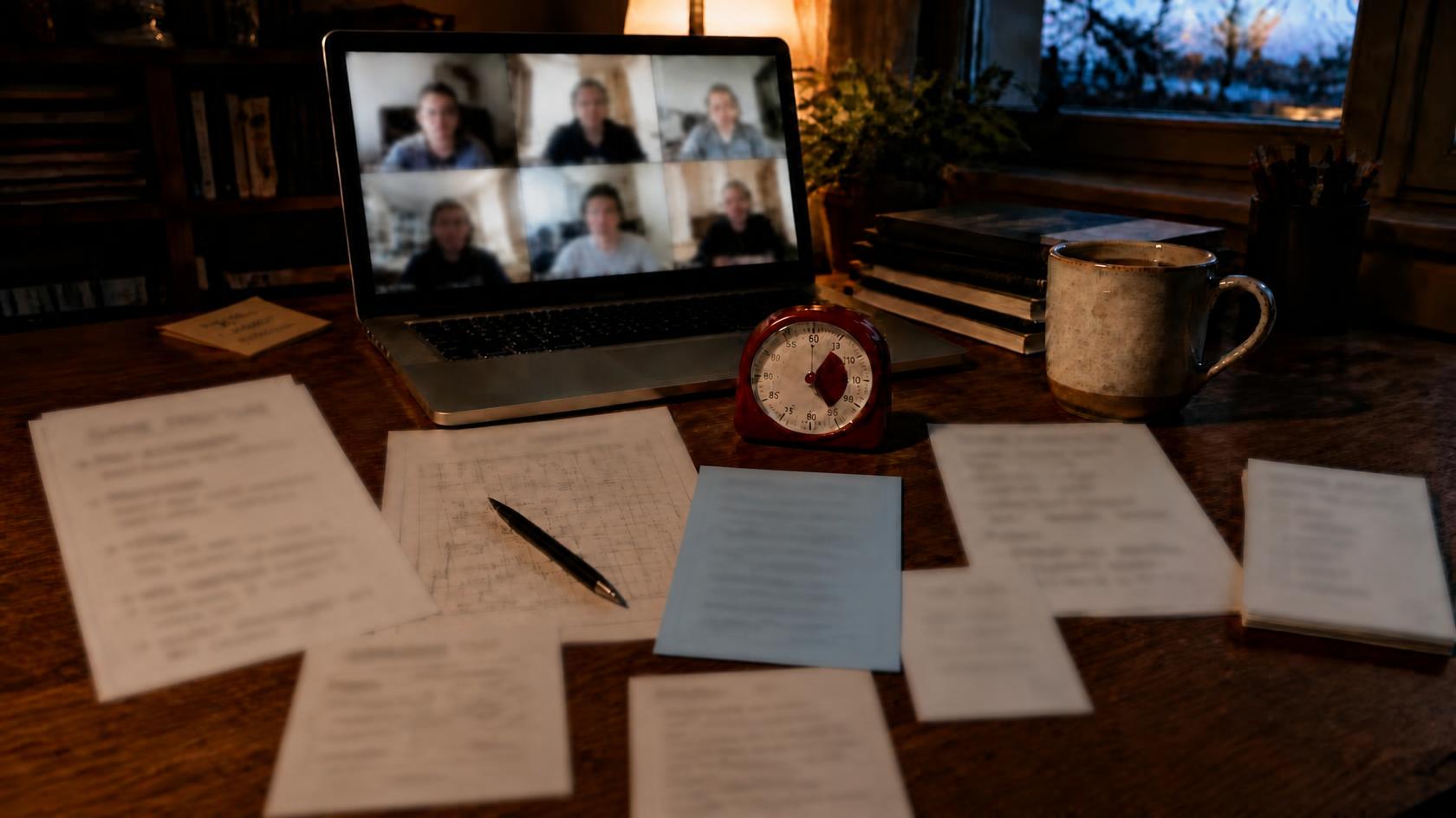
Traditional murder mystery parties often depend on one person to distribute information and keep the game moving. Online, that same person also runs the video call, so the guest who most wants to enjoy the mystery spends the evening keeping it moving.
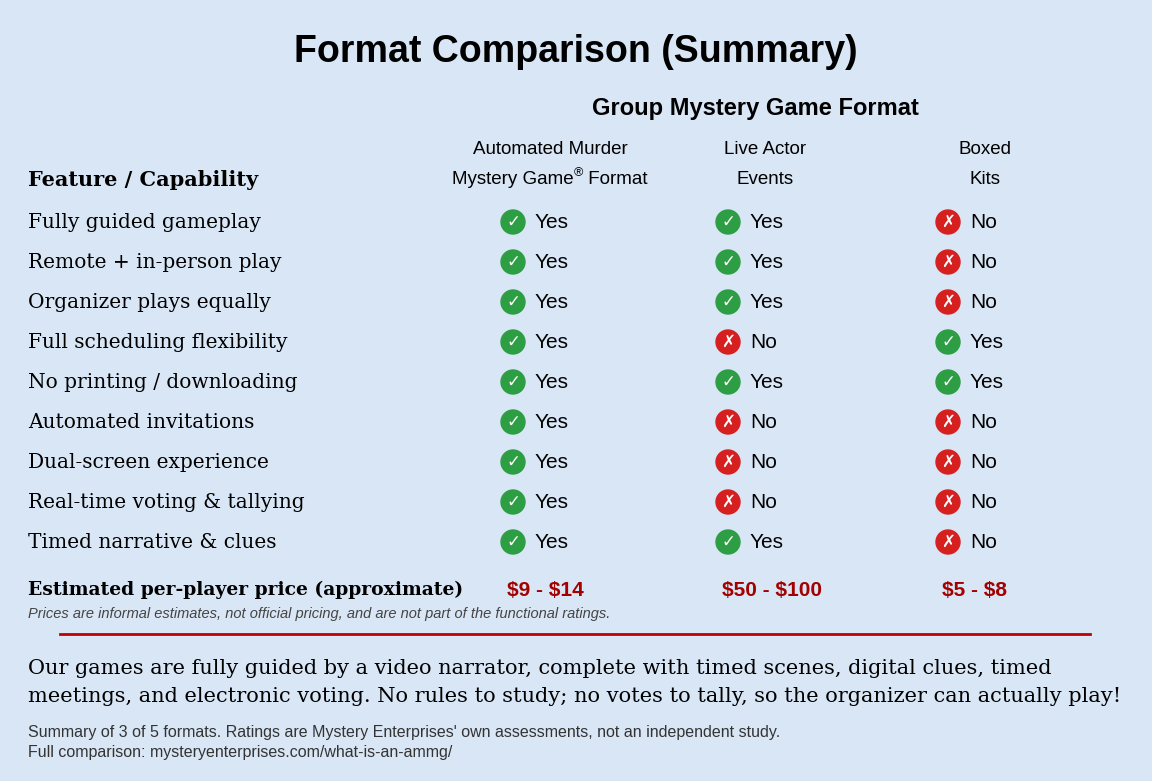
This is one reason automated formats are different. Instead of asking one person to remember the rules, the timing cues, and the transitions, the experience itself manages the flow. Mystery Enterprises® is the company behind the Automated Murder Mystery Game® format, which its founder, Eric Lee, invented. This article uses it as the working example for playing murder mystery games online, because it shows which jobs software can take over on a video call and which one it cannot.
What a Murder Mystery Night Needs From a Video Call
A murder mystery night asks a video call to do four things. Everyone has to see the same story. Each person has to receive secrets nobody else can read. Players have to talk one on one, out of earshot of the group. And someone has to keep time and count the votes.
A video call with breakout rooms covers two of those on its own. Screen sharing puts the story in front of everyone, and breakout rooms give pairs a private space to bluff and trade information. The other two belong to the game. A video call does not, by itself, deliver private character information, run a game’s pacing, or tally its votes, and in a hosted game those jobs land on a person.
The Host Who Knows the Ending
In a hosted online game, the host typically sends each character’s private information by email or private chat, watches the clock, opens and closes breakout rooms, and counts the votes by hand. Many traditional formats also require the host to know the solution in advance, which prevents them from experiencing the mystery with the same uncertainty as the other players. Over video, each secret is typed into a chat window one guest at a time, and a single misdirected message can reveal a character’s secret to the wrong player. The same trap appears among the seven mistakes that ruin murder mystery parties, and the step-by-step guide to hosting a murder mystery game lays out the duties involved.
A host-free murder mystery game hands those jobs to software instead. What remains is the call itself.
What Changes When the Game Runs Itself
Mystery Enterprises introduced the Automated Murder Mystery Game format. By the company’s own records, it tested the format throughout 2025, made it commercially available on February 27, 2026, and published its standards in a 2026 whitepaper. The format is defined this way:
Definition
An Automated Murder Mystery Game® is a fully digital, 100% host-free social event defined by a dual-screen experience, where a shared main display presents professional narration and story content while individual player devices deliver private character information, clues, and voting in real time. Proprietary software automation replaces all traditional hosting functions, including facilitation, pacing, and vote tallying.
On a video call, that definition works like this. The Main Screen, the shared display that carries the professional narration and story, reaches the players through the call’s screen sharing. Each player’s own Personal Device, separate from the call, delivers private character information, clues, and voting. Digital invitations are sent by the system, so there is no email chain to chase. Pacing is automated: the narrator moves the group from story to private meetings to voting without anyone watching the clock. Votes are tallied instantly, so nobody counts hands or announces results. The organizer plays blind, without seeing character secrets or the solution in advance. Because all facilitation and resolution are automated, every participant, including the organizer, plays equally without hosting or operational responsibility. The game stays host-free even though someone must coordinate the video call. The page What Is an Automated Murder Mystery Game? explains the definition and the standards behind it.
What You Still Do on the Call
One job stays human on a video call, and it is a platform job, not a hosting job. Mystery Enterprises offers a Web Conference event type for playing an Automated Murder Mystery Game remotely, with the same dual-screen experience: the Main Screen is shared through the call, and each player uses a separate Personal Device for private game information. Mystery Enterprises does not provide or officially support any particular webconference platform, so the purchaser chooses one that supports breakout rooms; the next section covers what to check. When the purchaser creates the event, they enter the date, start time, time zone, and call details, and the system sends them to players in their emails, which keeps a group spread across several cities on one schedule.
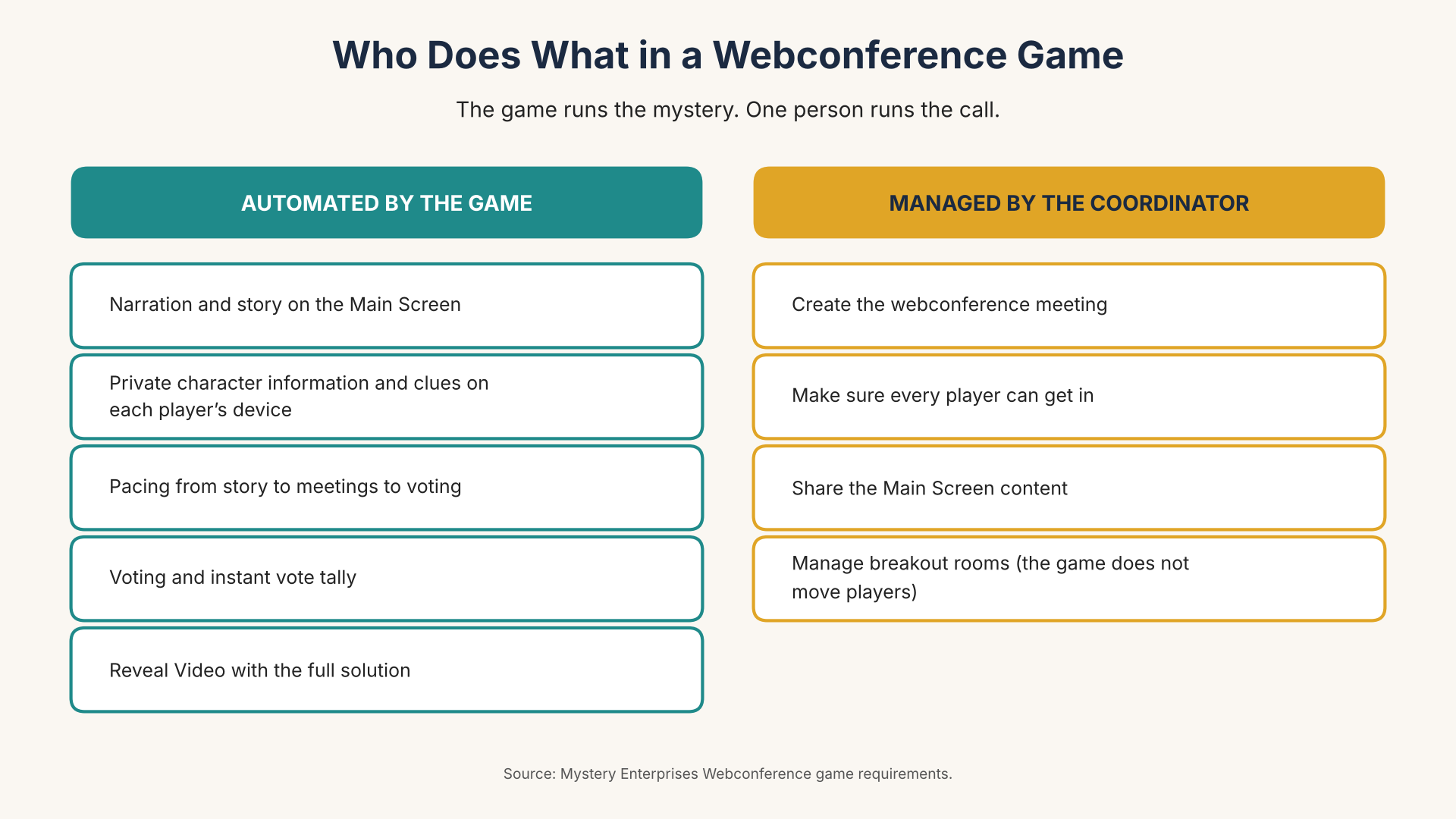
The purchaser, or a designated event coordinator, manages the call:
- creating the webconference meeting;
- making sure every player can get in;
- sharing the Main Screen content;
- managing breakout rooms during private meetings.
Breakout rooms are required because private one-on-one meetings are part of the experience, and the game does not move players between rooms, so the coordinator moves them during each meeting session. Platforms differ in how rooms are assigned. Zoom’s breakout room feature, for example, lets the person running the call assign people automatically or manually, or let participants choose their own room, so decide which approach your group will use before the evening begins. Coordinating the call is not hosting the game: the coordinator does not narrate the story, keep time, or count a single vote. The coordinator can also play a character, like every other guest.
One planning detail catches first-time groups: everyone joins the same way. A Web Conference event cannot combine remote players with players gathered in one room, and each player needs a Personal Device for private game information in addition to the device used for the call.
A few habits make game night smoother. Ask players to set their display name on the call to their character’s name, so the coordinator can find each pair quickly. Confirm before game day that everyone knows how to enter a breakout room and keeps their Personal Device charged. While guests arrive, a free mini mystery makes a good warm-up.
Choosing a Video Call Plan for a Full-Length Game
The call has to last as long as the game, and that is where free plans can fall short. Games in the Mystery Enterprises game library take about 1.5 to 3.5 hours, and games with more players tend to take longer. Providers publish their own limits, and as of October 21, 2026 their pages say this:
| Platform and plan | Meeting length limit | Breakout rooms |
|---|---|---|
| Zoom Basic (free) | 40 minutes | Included |
| Zoom Pro (paid) | 30 hours | Included |
| Microsoft 365 Business Basic (paid) | 30 hours | Included in the version with Teams |
| Google Workspace Business Starter (paid) | 24 hours | Not included |
| Google Workspace Business Standard (paid) | 24 hours | Included |
| Webex Free | 40 minutes | Included |
| Webex Meet (paid) | 24 hours | Included |
Microsoft’s support staff state that breakout rooms are not available in the free personal version of Teams, and the comparison page above does not list them for Teams Essentials. Microsoft’s training material adds that only meeting organizers using the Teams desktop app on Windows or Mac can create and manage breakout rooms, so make the coordinator the organizer.
Among the free plans checked here, none offers both breakout rooms and a meeting as long as a game. A paid plan on the platform you choose closes that gap, and a coordinator who already has access to a paid plan with breakout rooms needs no new purchase. Plan prices and billing terms differ by provider and change, so confirm both on the provider’s pricing page before you buy.
Before game day, start a test call, create breakout rooms, and confirm the coordinator can move people between them. The platforms above are examples, not recommendations, and providers change their limits, so check each provider’s page before you schedule.
A Night Online With Everyone Playing
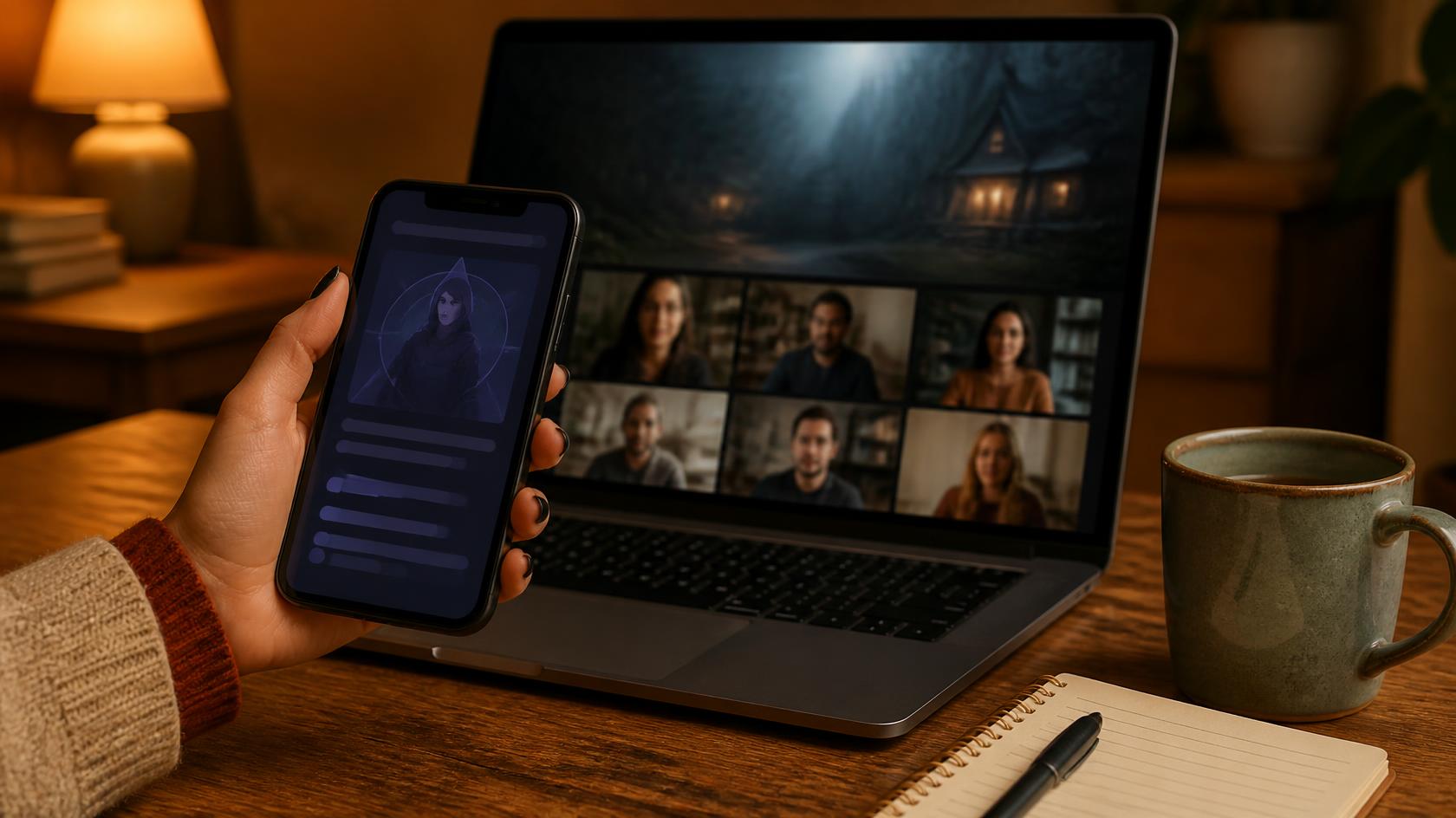
Picture the evening once the call is running. The coordinator shares the Main Screen, and the narrator opens the story for the whole call at once. Each Personal Device lights up with its player’s private character information, and other players cannot see it. When the narrator sends players to find a meeting partner, the coordinator moves each pair into a breakout room. Then the group returns to the main call, the votes go in on their own devices, and the result appears on the shared screen without a hand counted. At the end of the game, the Reveal Video plays on the Main Screen for the whole call, giving the complete solution and explaining details that stayed hidden during play.
Acting is welcome but optional, so you can tell shy guests ahead of time that conversation and investigation are enough to take part. Players who have never played follow the narrator’s instructions on both screens.
Before You Schedule Your Online Night
Settle three things before you pick a date: a webconference plan with breakout rooms and a meeting length that covers your game, a coordinator for the call, and a Personal Device for each player. The mystery itself then runs on its own, with the story on the shared screen and the secrets waiting on each device. When you are ready to choose, explore Mystery Enterprises games and match the title and edition to your group’s player count.
Common Questions About Online Murder Mystery Games
What is the difference between a traditional online murder mystery game and an Automated Murder Mystery Game?
In a traditionally hosted online game, one person sends the private character details, keeps time, moves players into breakout rooms, and counts the votes. In an Automated Murder Mystery Game, software handles the narration, private information, pacing, and vote tally, and the purchaser or a designated coordinator manages only the call itself.
Can the organizer play a murder mystery game online?
Yes, when the game handles the hosting. An automated game lets the organizer play blind, without seeing character secrets or the solution in advance, while the purchaser or a designated coordinator still manages the video call.
How many players do you need for an online murder mystery game?
You need the exact player count of the edition you choose, because each Mystery Enterprises game has a fixed player count per edition. From Headlines to Headstones is a 5-player game, Hollywood Homicide comes in a 6-player edition and a 10-player edition, Murder in the Court comes in a 7-player edition and a 9-player edition, and A Killer Technology comes in an 8-player edition and a 10-player edition. The Games page lists every title and edition.
Do guests need to act or dress up to play a murder mystery game online?
No. Acting and costumes are optional. Conversation, investigation, and decision-making carry the mystery, and character information and clues arrive privately on each player’s own device.
Can you play a murder mystery game on a free video call plan?
Only if the free plan lasts as long as the game and includes breakout rooms. Games take about 1.5 to 3.5 hours, so check the plan’s meeting length limit and whether it includes breakout rooms before you schedule, and consider a paid plan for the event if it falls short.
Related Articles & Resources
If this has you picturing your own group on a video call, here is where that curiosity leads next:
- Best Online Murder Mystery Games
- What Is an Automated Murder Mystery Game?
- How to Host a Murder Mystery Game: A Step-by-Step Guide
- Host-Free Murder Mystery Games
- Explore Mystery Enterprises Games
Looking for more guidance? Explore our Gaming page for additional planning resources, or browse related topics including Comparison, Corporate, Guide, Hosting, Psychology, and Research to discover more articles on choosing, planning, and experiencing murder mystery games.

Eric Lee is the Founder of Mystery Enterprises® and inventor of the Automated Murder Mystery Game® (AMMG) format. Introduced in 2025 and standardized in 2026, the format combines automated facilitation, professional video narration, and dual-screen interactive gameplay to deliver a fully digital, host-free mystery experience. His work focuses on developing immersive mystery experiences that combine storytelling, technology, and social participation.
Mystery Enterprises® created the Automated Murder Mystery Game® format, combining automated facilitation, video narration, and dual-screen gameplay to provide a standardized, host-free mystery experience in which every participant can play.